A click rate tells you what happened in one campaign. A phishing risk score tells you who is likely to click next, and why. As more organizations run recurring phishing simulations, platforms have moved beyond a single percentage and started scoring individual employees and departments based on ongoing behavior.
This guide explains what an employee phishing risk score actually measures, what data goes into it, how PhishCare calculates and displays it, and how security teams use it to focus training where it matters instead of training everyone the same way.
In Short
A phishing risk score combines click behavior, report behavior, and repeat patterns into one number per employee. It exists to answer a single question: where should your next training hour go.
Why Risk Scoring Matters More Than Click Rate Alone
A company-wide click rate of 12 percent sounds manageable, until you realize it could mean two very different things. It might mean every employee has roughly the same small chance of clicking. Or it might mean 80 percent of the risk sits with a handful of repeat clickers in two departments, while everyone else has already learned to spot the lure. A single percentage cannot tell these apart. A risk score can.
Organizations such as SANS Security Awareness have long argued that measuring and managing human risk needs to go beyond a single training completion metric. Risk scoring is the practical version of that idea: it turns scattered simulation data into a ranked view of where your organization’s human risk actually sits, so leadership can direct budget and attention accordingly.
What Data Builds a Phishing Risk Score
Reliable risk scores are built from behavior over time, not one test. Guidance from NIST on phishing defense highlights that both technical controls and ongoing employee behavior determine real-world exposure. A phishing risk score is essentially that behavior turned into a measurable, trackable number. The main inputs are below.
Click rate
How often an employee clicks a simulated phishing link, across all past campaigns, not just the most recent one.
Report rate
How often an employee correctly flags a simulated or real suspicious email. High reporting lowers risk even if a click happens elsewhere.
Repeat clicks
Clicking once is a learning moment. Clicking across multiple separate campaigns is a pattern, and it weighs more heavily on the score.
Time to report
How quickly an employee flags a suspicious email after receiving it. Fast reporting shrinks the window attackers have to act.
Role and access level
An employee with access to finance systems or sensitive data represents more risk if compromised than someone without that access, so role can weigh into the score.
Recency
A click from last week affects the score more than a click from a year ago. Recent behavior is a better predictor than old behavior.
How PhishCare Calculates and Displays Risk Scores
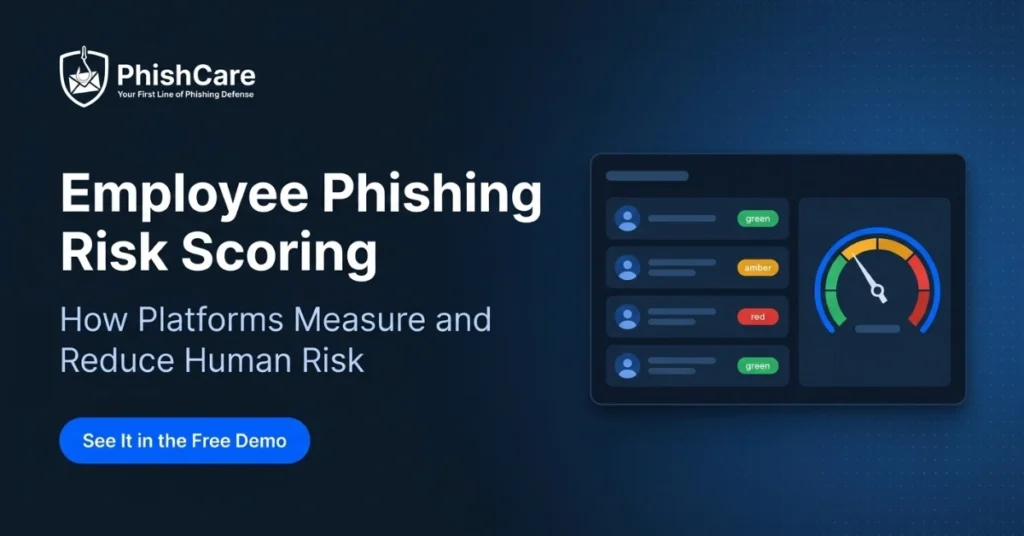
Inside PhishCare, every campaign result feeds a running score for each employee. Behavior data is weighted, combined into a single score, and shown as a simple risk level so nobody needs to interpret raw statistics to understand where attention is needed.
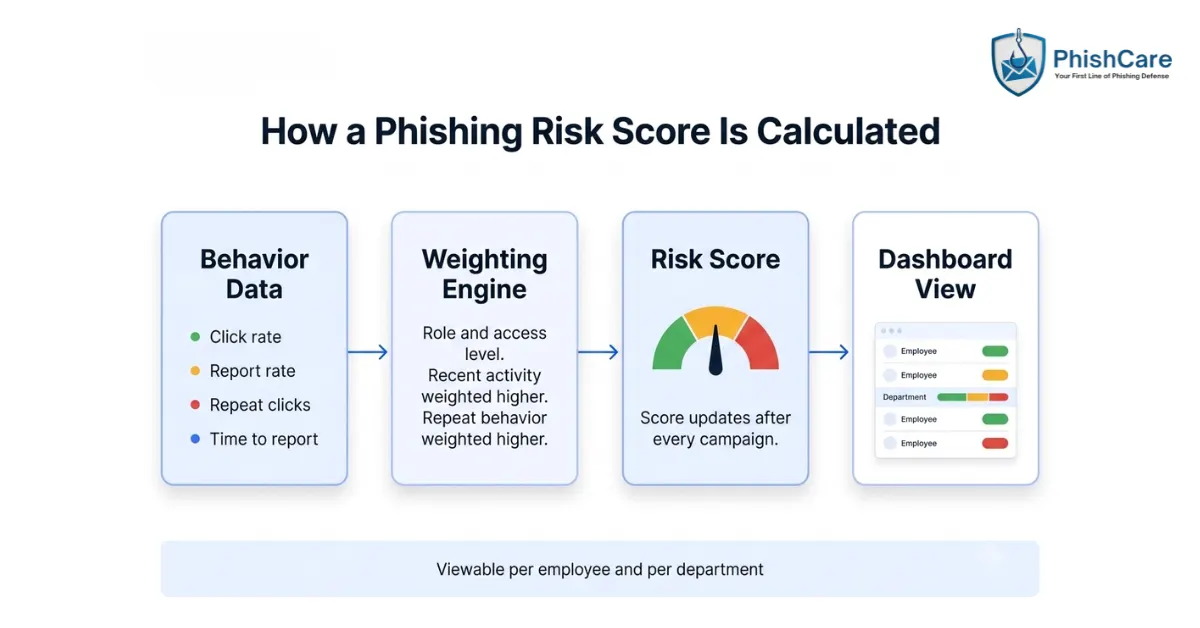
How behavior data becomes a risk score inside the PhishCare dashboard.
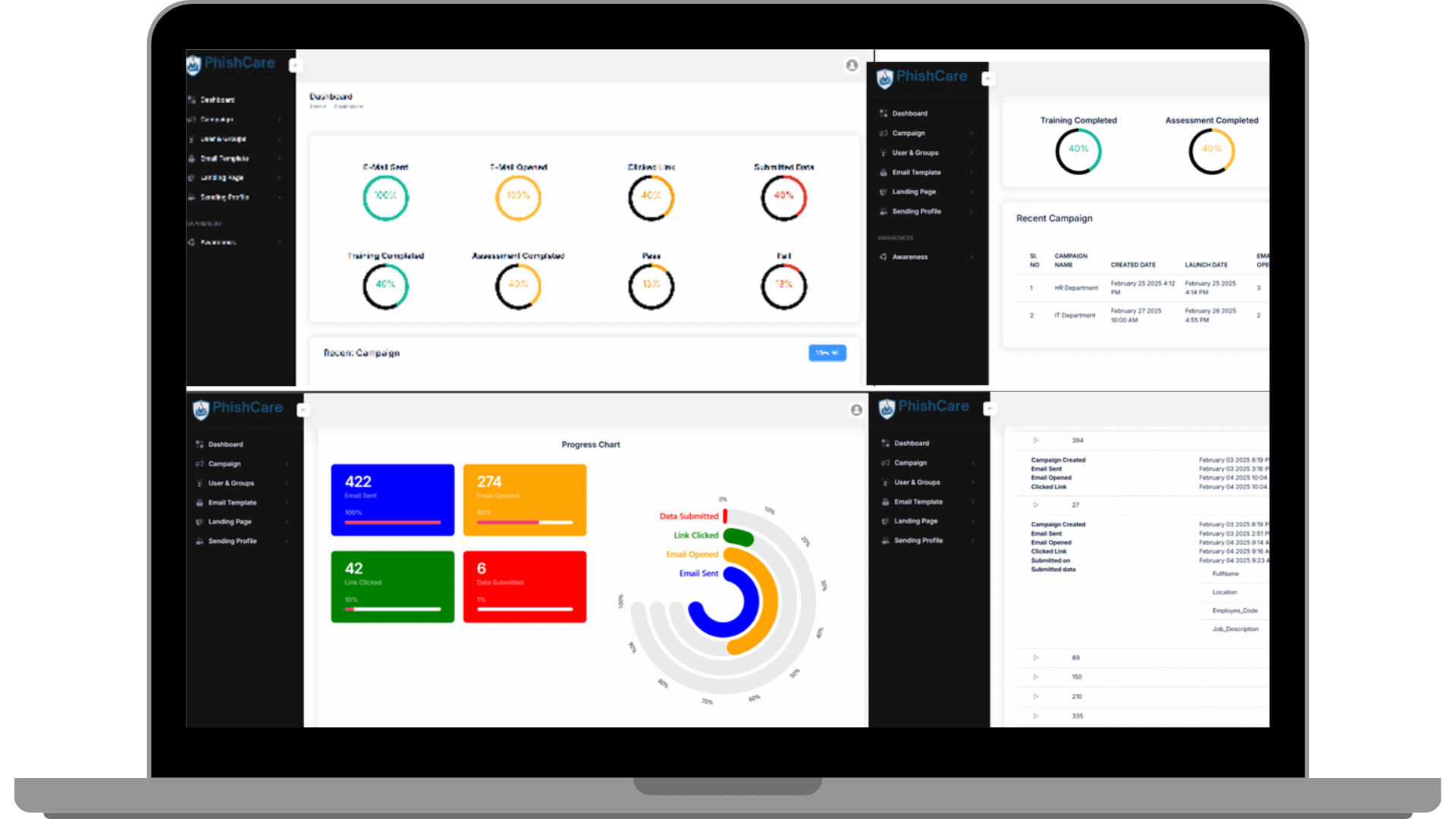
Risk scores are visible directly inside the PhishCare dashboard, per employee and per department.
You can see this scoring model firsthand inside a free PhishCare demo account. Watch it in action in this short walkthrough:
Reading a Risk Score: What High, Medium, and Low Actually Mean
Most platforms simplify the underlying number into three levels so results are easy to act on at a glance.
| Risk Level | Typical Pattern | Recommended Action |
|---|---|---|
| Low | Rarely clicks, reports quickly and consistently | Standard cadence of ongoing testing |
| Medium | Occasional click, inconsistent reporting | Targeted short refresher training |
| High | Repeat clicks across campaigns, rarely reports, often in a sensitive role | Priority one-on-one coaching and closer follow-up |
A high score is a signal to support someone, not to single them out. Programs that pair high-risk scores with quiet, constructive follow-up see the score improve over subsequent campaigns. Programs that use the score to criticize employees publicly tend to see reporting rates drop instead, since people stop admitting mistakes.
From Score to Action: Using Risk Data to Target Training
The value of a risk score is what it lets you do differently. Instead of sending the same annual training video to a thousand employees, teams use the score to focus effort where it changes outcomes.
Department heatmaps
Aggregating individual scores by department often reveals that risk concentrates in one or two teams, which is where a targeted training push has the biggest effect.
Repeat clicker follow-up
Employees flagged as high risk across multiple campaigns get short, direct coaching rather than the standard group module, since generic training rarely moves a repeat pattern.
Reporting to leadership
A trend line of overall organizational risk score over several quarters is a far more useful board-level metric than a single campaign’s click percentage.
For teams working towards ISO 27001, SOC 2 Type II, PCI DSS, HIPAA, or NIST CSF, documented risk scoring alongside campaign history also provides an additional evidence trail. PhishCare’s campaign reports give organizations working towards these frameworks a documentation boost, since ongoing security awareness training is recognized as a best practice by auditors and certification bodies. Our guide on how phishing simulation reports help organizations achieve regulatory compliance covers this in more depth, and our piece on 10 ways phishing simulation reports help organizations breaks down other uses of the same reporting data.
Try Risk Scoring Free in the PhishCare Demo
You do not need a live customer environment to see risk scoring at work. A free PhishCare demo account gives companies a working dashboard, one sending domain, and up to 5 test emails per campaign, which is enough to generate real scored results for a small pilot group.
See your own team’s risk score
Free demo account. No credit card. No sales call. Companies only.
For the complete account setup walkthrough, see our guide on how to get a free PhishCare demo account, and for a full first-campaign workflow, read how to run a phishing test for employees. When you are ready to scale scoring across the whole organization, plans and pricing are on the PhishCare pricing page.
Scoring Backed by Real Campaign Volume
Risk scoring is only as good as the data behind it. PhishCare’s scoring model is built on patterns observed across thousands of real campaigns run by our team at CyberSapiens.
Phishing simulations delivered
Campaign success rate
Industries served globally
Frequently Asked Questions About Phishing Risk Scoring
What is an employee phishing risk score?
An employee phishing risk score is a single measure that combines an employee’s click behavior, report behavior, and repeat patterns across phishing simulation campaigns into one risk level, usually shown as low, medium, or high.
How is a phishing risk score different from a click rate?
Click rate is a single-campaign percentage. A risk score looks at behavior across multiple campaigns over time, including reporting speed and repeat clicks, giving a more accurate picture of ongoing individual risk rather than one moment.
Can I see risk scoring in the free PhishCare demo?
Yes. A free PhishCare demo account includes dashboard access, and running even one test campaign with your pilot group will produce real, scored results you can view directly.
Should risk scores be used to discipline employees?
No. Risk scores are most effective as a coaching and prioritization tool. Organizations that use them punitively tend to see reporting rates fall, since employees become less willing to admit when they clicked or made a mistake.
How often does a risk score update?
Risk scores update after every campaign an employee is included in. Recent behavior typically carries more weight than older behavior, so the score reflects current patterns rather than a single past event.
Content Reviewed By

Nawaz is a practising security analyst specializing in phishing simulation campaigns, employee awareness assessments, red team exercises, and ethical hacking. He leads phishing simulation deployments at PhishCare, a product developed by CyberSapiens, with hands-on experience evaluating and deploying phishing simulation tools across organizations in multiple industries and regions globally.
View LinkedIn ProfileFind Out Where Your Real Risk Sits
Create a free PhishCare demo account, run a test campaign, and see individual and department risk scores in the live dashboard. Free for companies. No credit card. No sales call.
Questions? Email sales@phishcare.com or call 1300 507 668