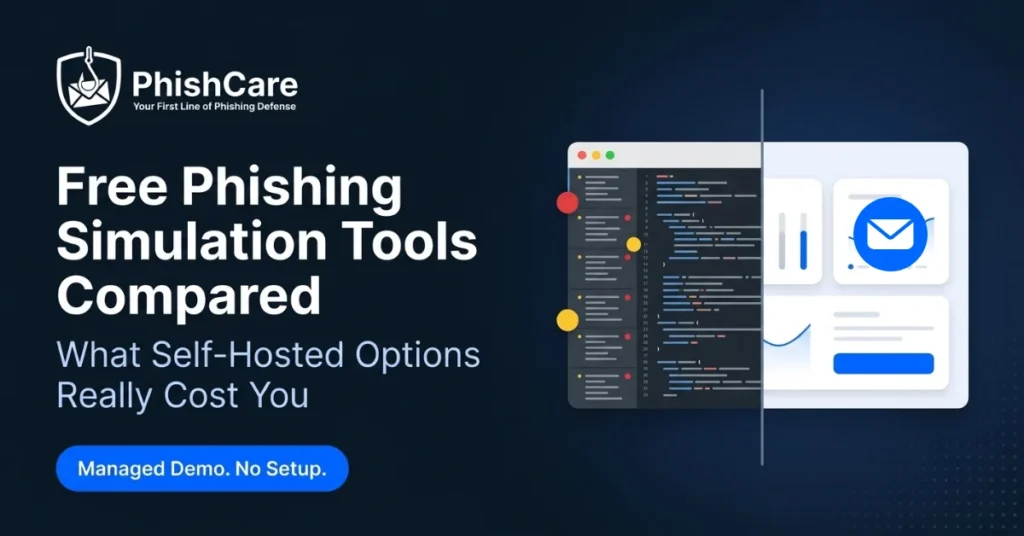
Search for a free phishing simulation tool and you will land on two very different kinds of “free.” One means download the code and run it yourself. The other means sign up and someone else runs the infrastructure for you. Both are genuinely free, but they cost very different amounts of your time.
This guide compares the main free options honestly, including what open-source tools like GoPhish actually require to get running, what one-off vendor teaser tests give you, and what a managed free demo account looks like. No option here is presented as bad. Each fits a different situation.
Before You Compare
The PhishCare free demo referenced in this guide is built for companies testing the platform for their workforce, not for individual or personal use. If you are a business owner, IT manager, or security lead evaluating a tool for your team, it is one of the options covered below.
What Counts as a Real Phishing Simulation Tool
Before comparing options, it helps to agree on what a phishing simulation actually needs to do. Frameworks such as the phishing campaign assessments described by CISA outline the core components: a realistic email lure, a way to track who clicked, a safe landing page, and a way to turn the results into something employees learn from.
Any tool that sends one email and gives you a percentage is doing part of the job. The gap between “sent an email” and “ran a real simulation program” is where most of the free options below start to differ from each other.
GoPhish and Open-Source Options: What They Actually Require
GoPhish is a well-known open-source phishing framework, and it is genuinely free in the sense that costs nothing to download. What it does not include is the infrastructure and content around it. Setting it up for a real test typically involves the following.
Server hosting
You provision, secure, and maintain your own server or cloud instance to run the application.
SMTP configuration
You connect and authenticate your own email sending service, and troubleshoot delivery issues yourself.
Domain reputation
A brand-new sending domain often lands in spam until it builds reputation, which can undermine test accuracy early on.
Templates and landing pages
The framework gives you the structure. Writing realistic, convincing content is left to you.
Reporting and training content
Results come as raw data. Turning that into a report leadership can read, or training content for employees who clicked, is a separate project.
Ongoing maintenance
Software updates, security patching, and server upkeep continue for as long as you keep running it.
None of this makes open-source tools a poor choice. For a technical team with time and infrastructure already in place, self-hosting offers full control and no licensing cost. The trade-off is time and technical effort instead of a subscription fee.
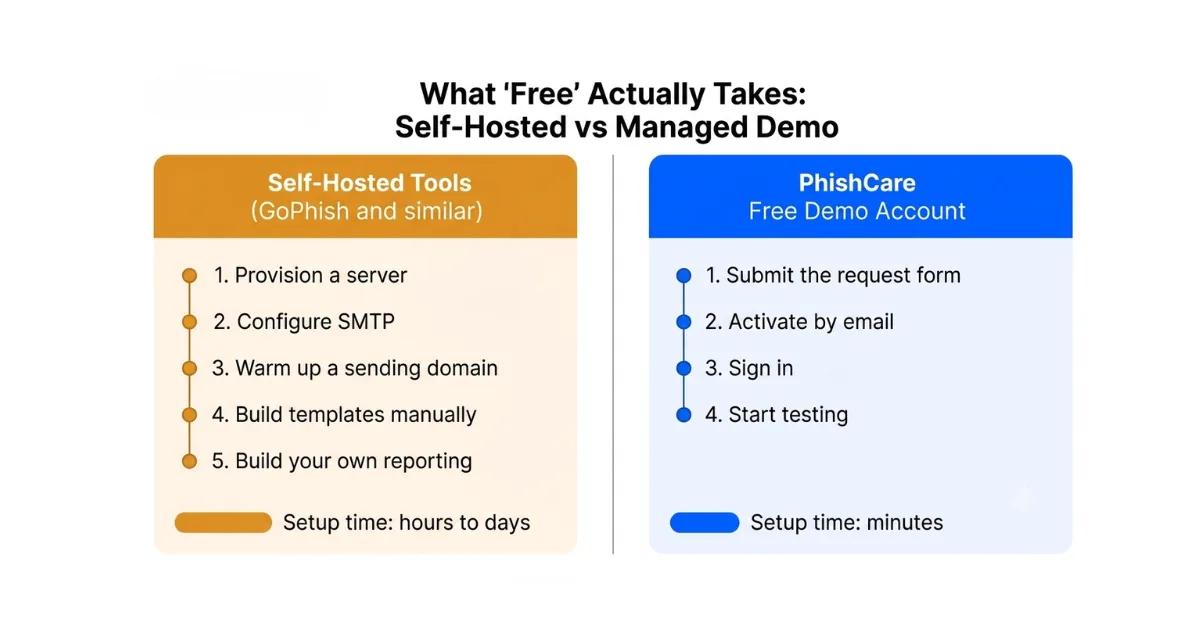
What self-hosted setup takes compared with a managed free demo account.
One-Off Teaser Tests From Vendors
Several commercial vendors offer a free single-campaign test as a lead-generation tool. These are worth knowing about as a separate category from both open source and a managed demo.
What you typically get: one automated email sent to your organization, plus a summary click percentage.
What is usually gated: detailed per-employee results, template choice, and repeat testing often require booking a call with sales.
Best for: a quick, low-effort snapshot when you are not ready to evaluate a dashboard yet, and do not mind a follow-up sales call.
PhishCare Free Demo Account: Managed, No Setup Required
A PhishCare demo account is the third category: free, but hosted and maintained for you. There is no server to provision and no SMTP to configure. Companies can request access, activate it by email, and be running a test the same day.
Sending Domain
One domain, configured and ready to deliver, with no reputation warmup needed on your side.
Emails Per Test
Enough for a real pilot group, tracked automatically in the dashboard.
Templates and Landing Pages
A limited but ready-made selection, no writing required to run your first test.
Sample Awareness Modules
Ready to send to anyone who clicks, unlike self-hosted tools where training content has to be built separately.
Note: the PhishCare demo account is available for companies only, not for individual or personal use. Requests must include valid business details.
Free Options Side by Side
| Factor | Open Source (GoPhish) | Vendor Teaser Test | PhishCare Demo |
|---|---|---|---|
| Setup time | Hours to days | Minutes | Minutes |
| Server required | Yes, self-hosted | No | No |
| Repeat testing | Unlimited, self-managed | Usually one-time | Yes, within demo limits |
| Templates included | No, build your own | Vendor selects it | Limited selection included |
| Training content | Not included | Usually not included | Sample modules included |
| Full result visibility | Yes, self-managed | Often gated behind sales | Yes, in your own dashboard |
| Best suited for | Technical teams with time and infrastructure | A quick one-time snapshot | Companies wanting a real, hands-on trial |
Which Free Option Fits Your Situation
You have a technical team and time to invest
Open-source tools like GoPhish give you full control with no licensing cost, if someone on your team can own the setup and maintenance.
You want a quick snapshot and do not mind a sales call
A vendor teaser test can give you a headline number fast, with the understanding that deeper access comes through a conversation.
You want a real hands-on trial without setup
A PhishCare demo account gives your company a working dashboard, templates, and sample training content within minutes, no infrastructure required.
Skip the server. Start testing today.
Free demo account for companies. No credit card. No sales call. No infrastructure.
For the full setup walkthrough, see our guide on how to get a free PhishCare demo account. Once you run your first campaign, our guide on how to run a phishing test for employees walks through the full workflow, and you can also see how employee phishing risk scoring works inside the same dashboard. For a broader look at paid platforms once you outgrow any free option, see our roundup of the top 10 best simulated phishing platforms.
Built From Real Campaign Experience
The managed platform behind the PhishCare demo is the same one used in thousands of real campaigns run by our team at CyberSapiens.
Phishing simulations delivered
Campaign success rate
Industries served globally
Frequently Asked Questions About Free Phishing Simulation Tools
Is GoPhish really free to use?
Yes, GoPhish is free and open source. There is no licensing cost, but you are responsible for hosting, configuring email delivery, building templates, and maintaining the server yourself.
What is the fastest free way to test my employees?
A managed free demo account is typically fastest since there is no server or email configuration to set up. A PhishCare demo account, for example, can be active the same day.
Can individuals use the PhishCare free demo account?
No. The PhishCare demo account is available for companies and organizations testing the platform for their workforce, not for individual or personal use.
Do free tools include employee training content?
Open-source tools generally do not include training content, since they focus on sending and tracking. A PhishCare demo account includes limited sample awareness modules so you can preview the training side as well.
Which free option is best for a small business with no IT team?
A managed demo account is usually the better fit, since it removes the server and email setup that open-source tools require and gives you results in a ready-to-read dashboard.
Content Reviewed By

Nawaz is a practising security analyst specializing in phishing simulation campaigns, employee awareness assessments, red team exercises, and ethical hacking. He leads phishing simulation deployments at PhishCare, a product developed by CyberSapiens, with hands-on experience evaluating and deploying phishing simulation tools across organizations in multiple industries and regions globally.
View LinkedIn ProfileGet the Managed Free Option Running Today
No server, no SMTP setup, no domain warmup. Create a free PhishCare demo account and run your first phishing test today. Free for companies. No credit card. No sales call.
Questions? Email sales@phishcare.com or call 1300 507 668