In Short
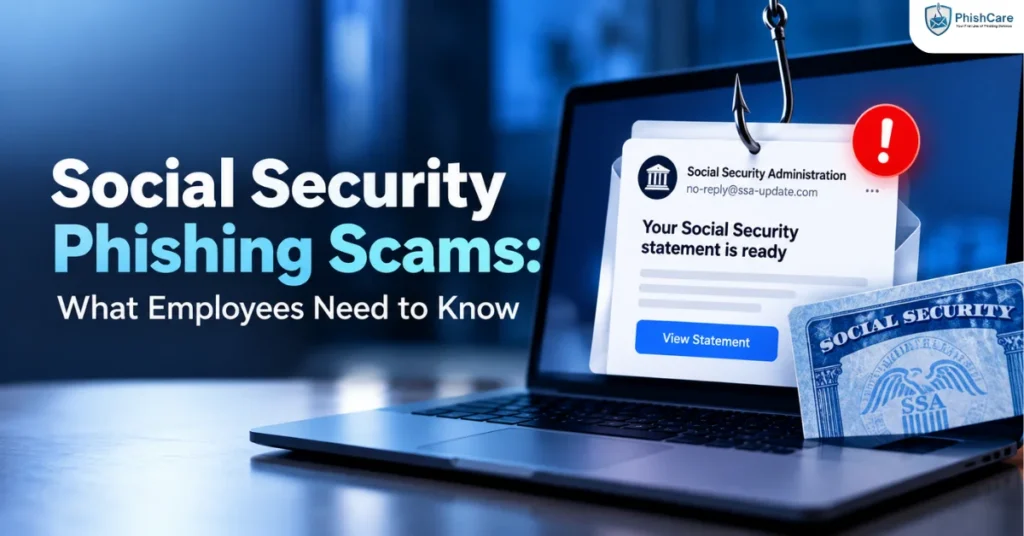
Fraudulent emails and texts impersonating the Social Security Administration have surged sharply, according to a February 2026 scam alert from the SSA Office of the Inspector General (OIG). These messages claim a Social Security statement is “ready to download,” use official-looking logos and formatting, and push recipients toward links that install malware or steal personal and financial information. FTC data shows the pattern is part of a broader trend: government-impersonation complaints rose 25% in 2025 to more than 330,000, and imposter scams overall cost Americans $3.5 billion that year. This matters for employers too, since the same tactics — spoofed government senders, urgency, and personal-data lures — are increasingly used against employees at work, often as a stepping stone toward payroll fraud or credential theft.
How the Fake Social Security Statement Scam Works
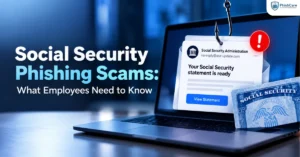
According to the SSA OIG’s February 2026 scam alert, the current wave of fraudulent emails impersonates the Social Security Administration by claiming the recipient’s Social Security statement is ready to download. The messages use official-looking language, logos, and formatting designed to closely resemble genuine SSA communications. Clicking the embedded link can install malware on the recipient’s device or redirect them to a fake website built to harvest personal and financial information.
The OIG’s alert lists several consistent warning signs:
- Sender addresses that do not end in “.gov”
- Messages urging an immediate download of a “statement” or official document
- Links or attachments framed as required or time-sensitive documents
- Language designed to create urgency and pressure quick action
The OIG is direct about the core rule: legitimate Social Security Administration communications come only from “.gov” email addresses, and any message claiming otherwise “is not from the Social Security Administration.”
This scam is a form of pretexting — the message works by inventing a plausible, official-sounding scenario (your government benefits record needs attention) that lowers the recipient’s guard before asking them to act.
Why This Scam Is Spreading So Fast
This isn’t an isolated pattern. FTC data released in mid-2026 shows Americans reported losing $3.5 billion to imposter scams in 2025, with government-impersonation complaints — scammers posing as the SSA, IRS, or other federal agencies — rising 25% year over year to more than 330,000 reports. The Social Security Administration has flagged the trend as increasingly personalized: attackers are combining data from prior breaches with real details like partial Social Security numbers, names, and benefit references to make their messages more convincing before asking for money or credentials.
That personalization is what makes this scam harder to train against with generic “don’t click suspicious links” advice. A message that already contains a recipient’s real name, city, or partial SSN reads very differently than an obviously generic phishing email, and it can pass the same instinctive checks employees are taught to run against more clumsily written scams. The tactics overlap closely with SMS-based phishing (smishing) as well, since the same fraudulent “your Social Security statement is ready” lure is circulating by text as much as by email.
Why This Matters for Employers, Not Just Individuals
Social Security phishing scams are typically framed as a personal, consumer-facing threat — and for individuals, particularly older adults, they are. But the same underlying technique — a spoofed government-agency sender, an urgent request, and a convincing amount of real personal detail — is the exact template attackers use in business-targeted variants of government-impersonation phishing, including scams that pose as the IRS or state tax agencies to target payroll and HR departments during W-2 season.
Employees who receive a convincing “your Social Security statement is ready” email on a personal account, and click through without a second thought, are demonstrating exactly the kind of instinctive trust that a well-crafted, business-targeted version of the same scam is built to exploit. An employee’s exposure to this scam pattern outside of work is a reasonable signal that the same instincts could be triggered by a similar-looking internal or vendor-impersonation email — which is why this scam pattern deserves a place in workplace phishing awareness training, not just personal cybersecurity guidance.
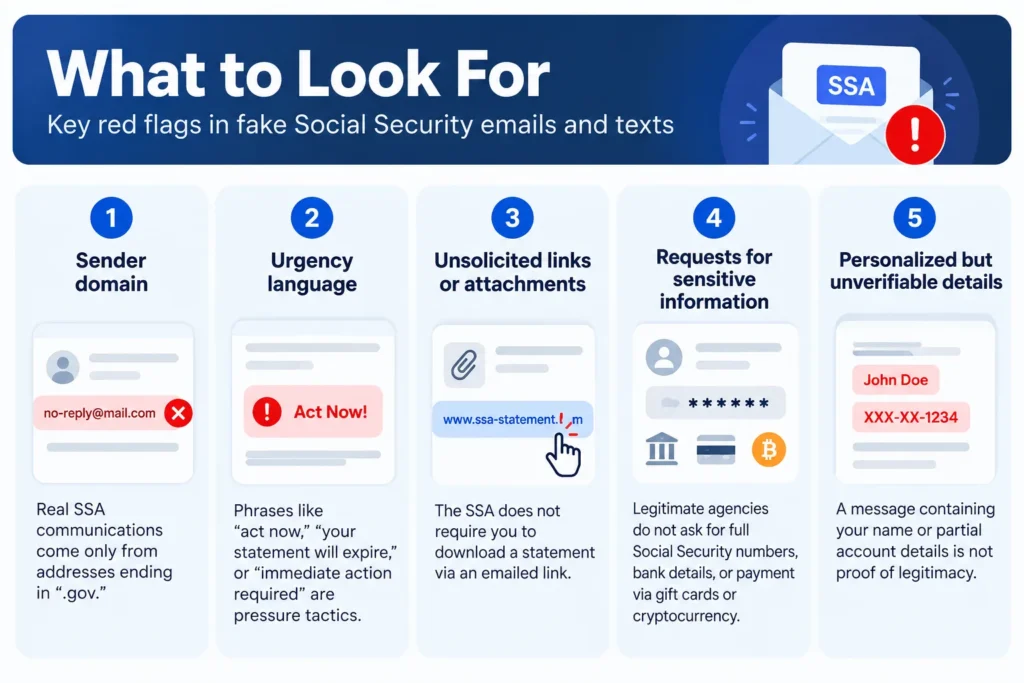
What to Look For
The same red flags the SSA OIG lists apply whether the message lands in a personal or work inbox:
Sender domain
Real SSA communications come only from addresses ending in “.gov.” Anything else claiming to be the SSA is not legitimate.
Urgency language
Phrases like “act now,” “your statement will expire,” or “immediate action required” are pressure tactics, not standard government communication style.
Unsolicited links or attachments
The SSA does not require you to download a statement via an emailed link. Fake login pages designed to harvest credentials often sit behind exactly this kind of link.
Requests for sensitive information
Legitimate agencies do not ask for full Social Security numbers, bank details, or payment via gift cards or cryptocurrency through unsolicited messages.
Personalized but unverifiable details
A message containing your name or partial account details is not proof of legitimacy — that information can come from previous data breaches.
Building Awareness Training Around This Scam Pattern
Because this scam pattern relies on urgency, a spoofed authority figure (a government agency), and a request tied to something personally significant, it makes an effective and realistic template for phishing simulation exercises, not just a topic for a slide in a training deck. A simulation modeled on this exact pattern tests whether employees actually apply the “check the sender, resist the urgency” guidance under real conditions, rather than just recognizing the advice when it’s presented to them directly.
PhishCare’s phishing simulation platform lets organizations build and run test campaigns modeled on current, real-world scam patterns like this one, track which employees click through or report the message, and target follow-up training at the employees who need it most. Running a test based on an active, well-documented scam pattern — rather than a generic or dated template — gives a more accurate read on how your team would actually respond to it.
Final Thoughts
The Social Security phishing scam currently flagged by the SSA OIG is a clear, well-documented example of how personalized, authority-spoofing phishing has become. It’s a genuine consumer risk on its own, and its structure — urgency, a trusted institutional sender, and a plausible personal stake — is the same structure attackers use in workplace-targeted variants. Organizations that build awareness training around real, current scam patterns like this one give employees a better chance of recognizing the next one, whether it targets their personal inbox or their company email.
FAQ
Is the “your Social Security statement is ready” email real?
No. According to the SSA Office of the Inspector General, this is a confirmed phishing scam. Legitimate SSA communications come only from email addresses ending in “.gov,” and the agency does not send unsolicited links asking you to download your statement.
What happens if I click the link in one of these emails?
Clicking the link can install malware on your device or direct you to a fake website designed to steal personal and financial information. If you’ve clicked a link or entered information, the SSA OIG recommends stopping communication with the sender, contacting your financial institution if you shared financial details, and reporting the incident.
How much money have Americans lost to scams like this?
FTC data shows Americans reported losing $3.5 billion to imposter scams in 2025, with government-impersonation complaints — including SSA impersonation — rising 25% year over year to more than 330,000 reports.
Why would a company train employees on a personal scam like this?
The same techniques — a spoofed authority figure, urgency, and personalized details pulled from data breaches — appear in workplace-targeted phishing, including scams that impersonate government agencies to target payroll and HR teams. Recognizing the pattern in a personal context builds the same instincts needed to catch it at work.
How can I report a Social Security phishing scam?
The SSA OIG recommends reporting suspected scams directly to their office, as well as to the FBI’s Internet Crime Complaint Center (IC3) and the Federal Trade Commission.
Can phishing simulation training use scam patterns like this one?
Yes. Because this scam relies on a well-documented, realistic structure — a spoofed institutional sender, urgency, and personal detail — it can be adapted into a phishing simulation exercise to test whether employees recognize and resist the pattern under realistic conditions.
Content Reviewed By

Nawaz is a practising security analyst specializing in phishing simulation campaigns,
employee awareness assessments,
red team exercises,
and ethical hacking.
He leads phishing simulation deployments at PhishCare,
a product developed by CyberSapiens,
with hands-on experience evaluating and deploying phishing simulation tools
across organizations in multiple industries and regions globally.