Practitioner Guide
Test Your Employees Before Attackers Do
A phishing test for employees sends safe, simulated phishing emails to your own team and measures who clicks, who ignores, and who reports. This guide walks through the exact 7-step workflow our team at CyberSapiens uses across real campaigns, and you can run your first test free.
Whether you are an IT manager preparing a baseline test, an HR lead responding to a near-miss incident, or a business owner comparing email phishing test tools for employee awareness training, the process below works the same. It requires no security background, and with a free PhishCare demo account it costs nothing to start.
Why Test Your Employees: What the Numbers Say
Phishing remains one of the most common entry points for attackers because it targets people, not systems. Industry research such as the IBM Cost of a Data Breach Report has repeatedly placed phishing among the most frequent and most expensive initial attack vectors. Firewalls and email filters catch a lot, but the email that slips through lands in front of a human, and that moment decides everything.
A phishing test gives you the one number no vendor brochure can: how your own employees actually behave when a convincing lure hits their inbox. From the campaigns our team has run, three patterns show up almost everywhere.
First tests surprise everyone
Baseline campaigns almost always produce higher click rates than leadership expects, including among senior and technical staff. That first honest number is what unlocks budget and attention.
Reporting matters more than clicking
An organization where employees quickly report suspicious emails contains incidents faster than one where nobody clicks but nobody speaks up either. Tests measure both behaviors.
Repetition changes behavior
One annual test changes very little. Recurring tests with short training after each round steadily push click rates down and report rates up over months, not days.
Before You Send: Rules That Keep the Test Fair
A phishing test done badly damages trust faster than it builds awareness. These are the ground rules we set with every organization before a single email goes out.
- Get management approval in writing. Someone with authority should sign off before you simulate an attack on staff, even a small pilot.
- Adopt a no-blame policy. The goal is measurement and training, never punishment. Announce that clicking a simulation will result in a short lesson, not a disciplinary note.
- Never harvest real passwords. Simulated landing pages should record that a submission happened, not what was typed. PhishCare landing pages work this way by design.
- Avoid cruel lures. Fake bonus announcements, fake layoff notices, or fake medical results create resentment that outlasts any lesson. Realistic does not mean heartless.
- Close the loop fast. Everyone who clicks should immediately see a friendly explanation page, and the whole pilot group should get a short debrief after the campaign ends.
From the field: in campaigns we have run across finance, IT, healthcare, and education organizations, the programs that improved fastest were the ones where employees knew tests would happen sometime, just not when. Transparency about the program, secrecy about the timing.
How to Run a Phishing Test for Employees in 7 Steps
This is the workflow we follow for every baseline campaign. With a free PhishCare demo account you can complete all 7 steps with a pilot group of up to 5 employees at no cost.
Define Your Goal
Decide what you want to learn. For a first test, the answer is almost always a baseline: what percentage of employees click a realistic lure today. Write it down so results have a purpose.
Pick a Pilot Group
Choose up to 5 employees for the free pilot. Mix roles: one technical person, one from finance or HR, one manager, one frontline employee. A varied group gives a more honest picture than testing only the IT team.
Set Your Sending Domain
Configure the domain your simulated emails will send from, and allowlist it in your mail filter so the test measures people, not your spam folder. The PhishCare demo includes one sending domain, which is exactly enough for this.
Choose a Template and Landing Page
Select a lure your team plausibly receives: a password reset, a shared document, a delivery notice. Pair it with a landing page so you can also measure who would have submitted credentials, not just who clicked.
Launch the Test
Send during normal working hours on a normal day. Mid-morning midweek works well because inboxes are active and people are moving fast, which is exactly when real phishing lands.
Measure Clicks and Reports
Watch the dashboard for opens, clicks, submissions, and reports over 24 to 48 hours. Both numbers matter: click rate shows exposure, report rate shows defense.
Train and Repeat
Deliver a short awareness module to everyone who clicked, debrief the group, and schedule the next round. Behavior change comes from the cycle, not the single test.
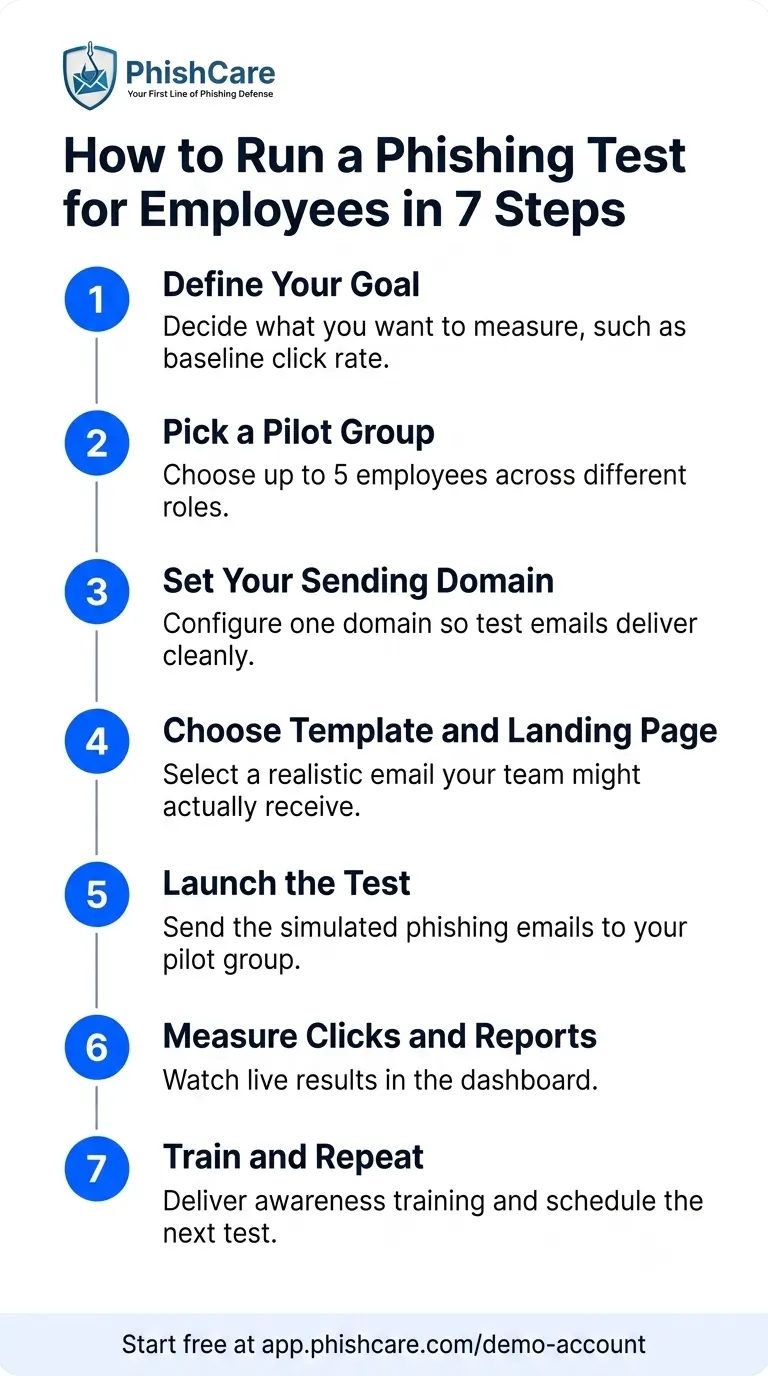
The complete 7-step phishing test workflow, from goal to training.
Ready to try these 7 steps right now?
Free demo account. 1 sending domain, 5 test emails, sample templates. Companies only.
Real Phishing Scenarios That Fool Employees
Phishing volume tracked by industry bodies such as the Anti-Phishing Working Group in its Phishing Activity Trends Reports shows attackers recycling a small set of proven psychological hooks: urgency, authority, curiosity, and routine. The four patterns below account for most of the clicks we see in real campaigns, and each makes a strong first test template.
Routine
The password reset
“Your password expires in 24 hours.” It works because employees see legitimate versions of this email constantly, so the fake one blends in. Tests which pair it with a login-style landing page reveal who would have typed credentials.
Curiosity
The shared document
“A file has been shared with you.” Cloud collaboration made this the most natural-looking lure in the workplace. Employees click before asking why a colleague would share that file at that moment.
Authority
The HR policy update
“Please review the updated leave policy and acknowledge.” Emails that appear to come from HR or internal systems carry built-in authority, and acknowledging policies is a task employees complete on autopilot.
Urgency
The urgent request from the boss
“Are you at your desk? I need something done quickly.” Short, personal, and time-pressured. This pattern drives business email compromise, and it is the scenario employees most often admit they would have fallen for.
For a much longer list of lures drawn from real incidents, see our collection of 50 real-life social engineering and phishing attack scenarios people fall for.
How to Read Your Results
When the campaign closes, two numbers tell most of the story.
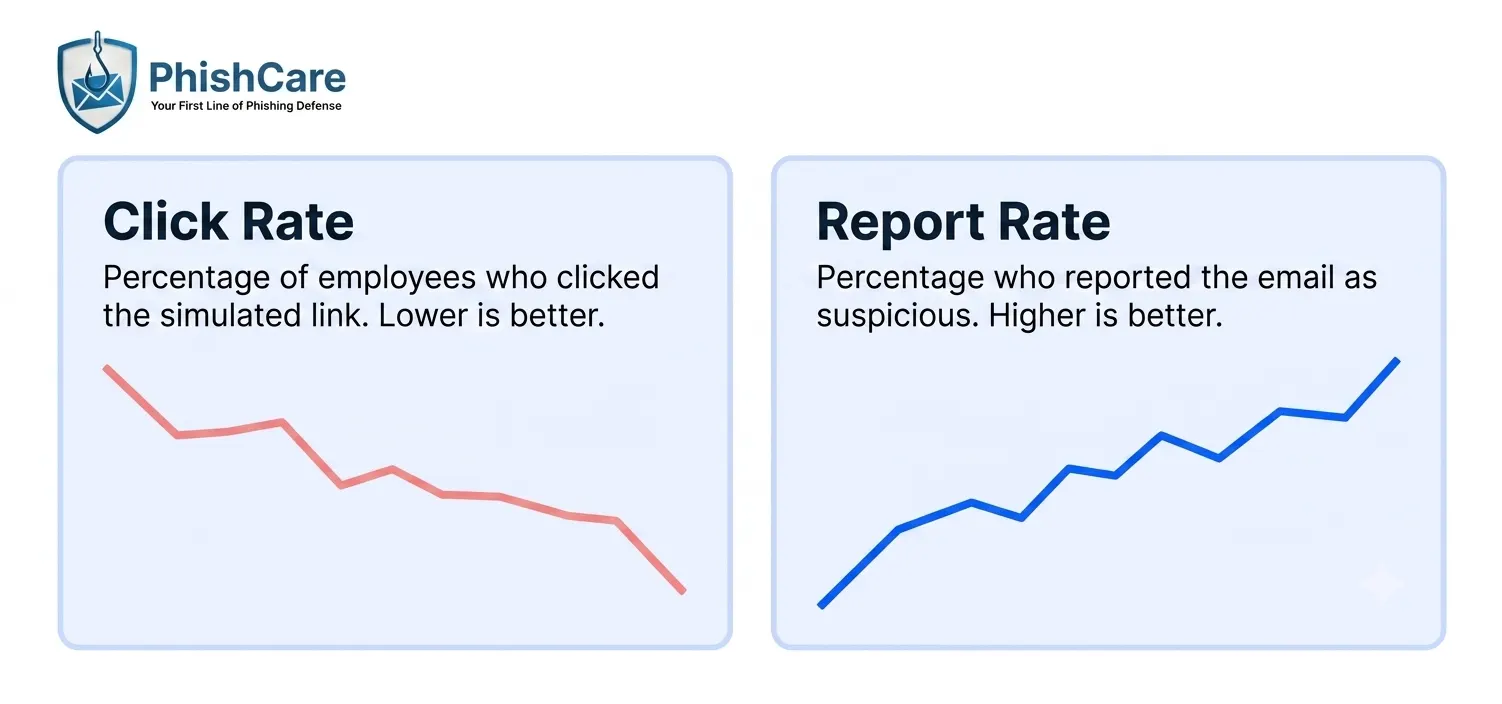
The two metrics that define phishing test success: clicks falling, reports rising.
| Metric | What it means | What to aim for |
|---|---|---|
| Click rate | Percentage of recipients who clicked the simulated link | Falling with every campaign round |
| Report rate | Percentage who flagged the email as suspicious | Rising with every campaign round |
| Submission rate | Percentage who entered data on the landing page | As close to zero as possible |
| Time to first report | How quickly the first employee raised the alarm | Minutes, not hours |
Do not panic if the first click rate looks high. That is normal and it is the entire reason baseline tests exist. To see how these metrics look in a full campaign report, download the phishing simulation sample report. And if anyone on your team ever clicks a real phishing link, share our guide on what to do immediately after clicking a phishing link so the response is fast and calm.
After the Test: Turn Clickers Into Reporters
The test itself changes nothing. What happens in the week after decides whether the numbers improve next round.
Within 48 hours
Send everyone who clicked a short, friendly awareness module explaining what the red flags were. Keep it under ten minutes. Speed matters because the memory of the email is still fresh.
Within 1 week
Debrief the whole pilot group without naming clickers. Celebrate reporters publicly. Show how the email would have been spotted: sender address, link hover, tone, timing.
Every 4 to 6 weeks
Run the next round with a different template and, over time, a wider group. Recurring low-pressure testing beats one dramatic annual campaign in every program we have measured.
For a full framework on building the training side of this cycle, read our guide on what employee awareness training is and how to conduct it. For organizations working towards ISO 27001, SOC 2 Type II, PCI DSS, HIPAA, or NIST CSF, PhishCare’s campaign reports also provide an additional documentation boost, since ongoing security awareness training is recognized as a best practice by auditors and certification bodies.
Run Your First Test Free With PhishCare
Everything in the 7-step workflow above can be done today with a free PhishCare demo account. The demo is available for companies only and includes:
Sending domain to deliver your simulated emails
Emails per test, perfect for a pilot group
Templates, landing pages, and sample awareness modules
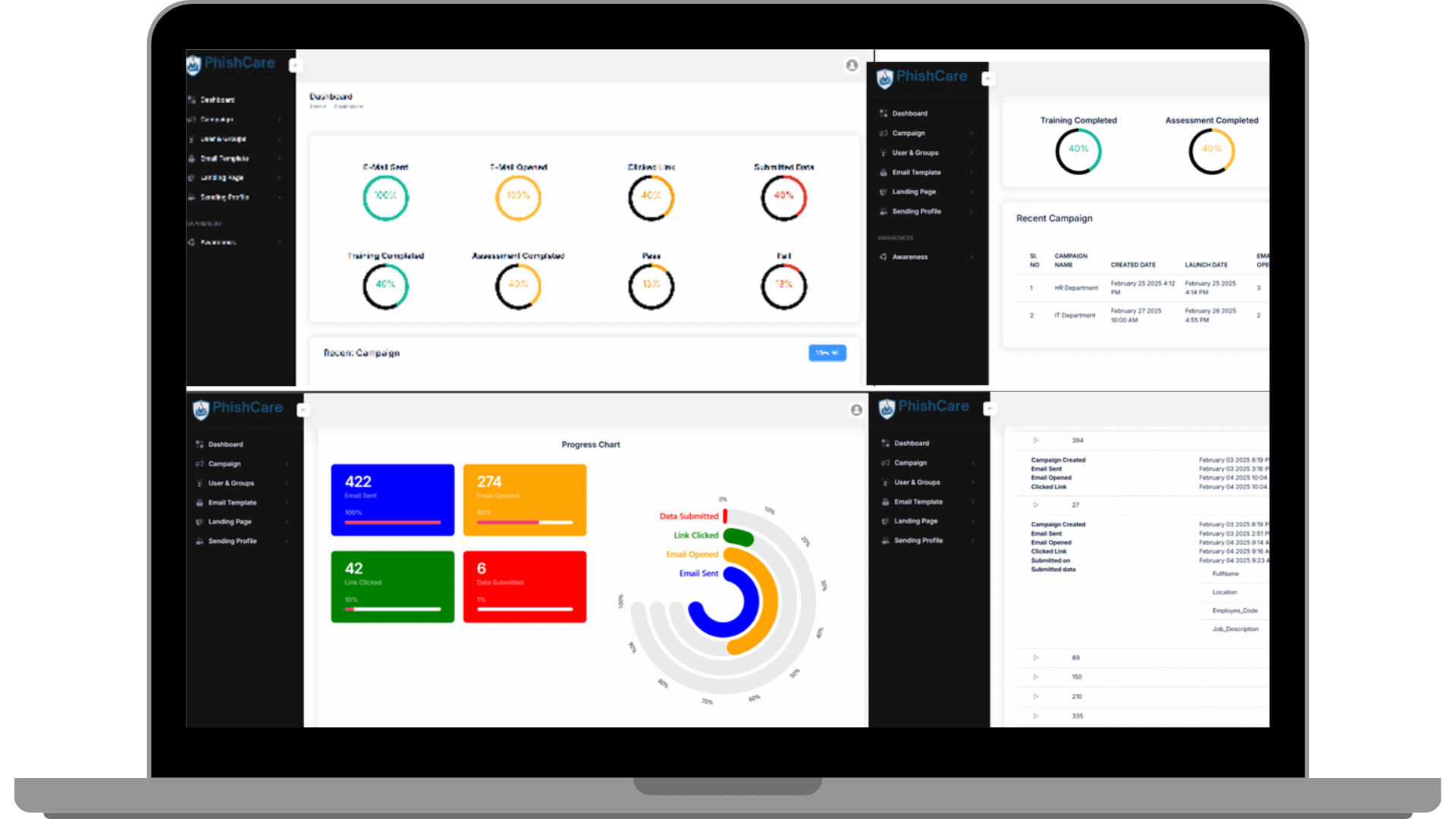
The PhishCare dashboard where your test results appear live.
For the complete setup walkthrough including account activation, read our guide on how to get a free PhishCare demo account. When you outgrow the demo limits, every feature unlocks on a paid plan, with multiple domains, the full template library, and all awareness modules. Details are on the PhishCare pricing page.
Trusted by Teams Across Industries
The same platform behind the free demo powers phishing simulation programs for organizations in finance, banking, healthcare, information technology, education, and professional services.
Phishing simulations delivered
Campaign success rate
Industries served globally
Organizations That Have Used PhishCare









Frequently Asked Questions About Phishing Tests for Employees
Is it legal to run a phishing test on my employees?
In most jurisdictions, yes, when the organization tests its own staff on its own systems with management approval. Get written sign-off from leadership, follow a no-blame policy, and never capture actual passwords on simulated landing pages. If in doubt, consult your legal or HR team first.
Should I tell employees before running a phishing test?
Tell them the program exists, not when tests will land. Announcing that simulations are part of your security awareness program keeps trust intact, while keeping the timing secret keeps results honest.
How can I run a phishing test for employees for free?
Create a free PhishCare demo account at app.phishcare.com/demo-account. Companies get one sending domain, up to 5 simulated emails per test, and a selection of templates, landing pages, and awareness modules, with no credit card and no sales call required.
What is a good click rate for a phishing test?
There is no single safe number, and first baseline tests are often higher than expected across every industry. What matters is the trend: click rates should fall and report rates should rise with each campaign round as training takes effect.
How often should employees be phish tested?
Every 4 to 6 weeks works well for most organizations. Frequent, low-pressure tests with short follow-up training change behavior far more reliably than a single large annual campaign.
What should happen to employees who fail a phishing test?
Training, not punishment. Employees who click should receive a short awareness module within 48 hours explaining the red flags they missed. Punitive responses teach people to hide mistakes, which is the opposite of what incident response needs.
Content Reviewed By

Nawaz is a practising security analyst specializing in phishing simulation campaigns, employee awareness assessments, red team exercises, and ethical hacking. He leads phishing simulation deployments at PhishCare, a product developed by CyberSapiens, with hands-on experience evaluating and deploying phishing simulation tools across organizations in multiple industries and regions globally.
View LinkedIn ProfileRun Your First Phishing Test This Week
Create a free PhishCare demo account, pick 5 employees, and get your baseline click rate within 48 hours. Free for companies. No credit card. No sales call.
Questions? Email sales@phishcare.com or call 1300 507 668