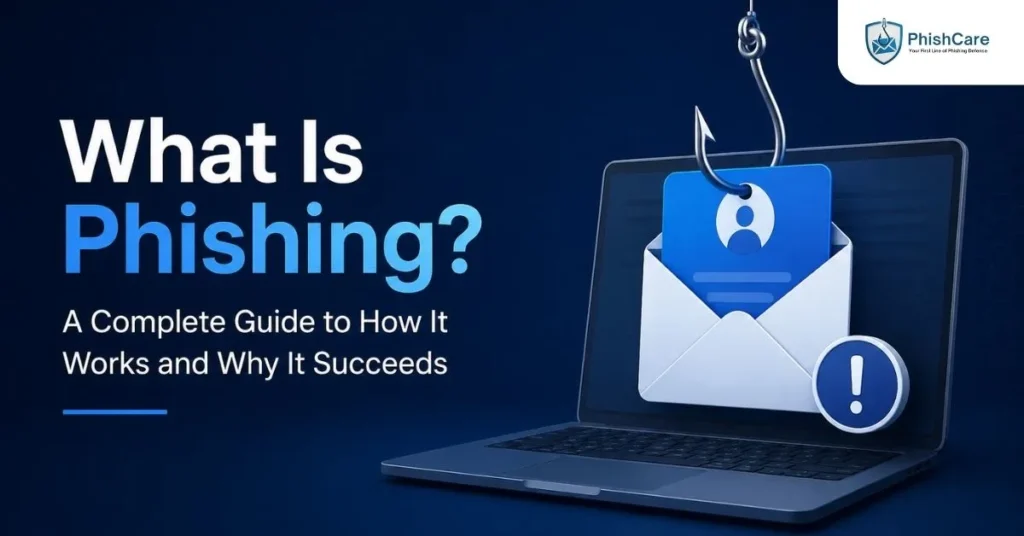
Phishing is the reason most data breaches start with a click, not a hack. Before ransomware runs, before credentials get stolen, before an attacker ever touches a network, someone usually has to be fooled first. That is what phishing does, and it remains, by a wide margin, the most common way attackers get their first foothold inside an organization.
This guide covers what phishing actually is, exactly how it works step by step, every major type organizations need to know about today, why it still succeeds despite decades of awareness campaigns, and how to start recognizing and defending against it.
In Short: Phishing is a social engineering attack where someone impersonates a trusted person or organization to trick a victim into clicking a malicious link, opening a harmful attachment, or handing over sensitive information. It now spans far more than email, including text messages, phone calls, and even AI-generated deepfake video.
What Is Phishing, Exactly?
Phishing is a type of social engineering attack in which an attacker impersonates a trusted entity, a bank, a colleague, an executive, a well-known brand, in order to manipulate a target into taking a harmful action. That action might be clicking a malicious link, downloading an infected attachment, entering login credentials on a fake website, or authorizing a fraudulent payment.
The name comes from “fishing,” a deliberate play on the idea of baiting a hook and waiting for someone to bite. Like fishing, the attacker does not need every recipient to respond, only enough of them.
What makes phishing distinct from other cyberattacks is that it targets people, not systems. A firewall cannot stop an employee from willingly typing their password into a convincing fake login page. That is precisely why phishing remains effective even as technical defenses improve.
How Phishing Actually Works
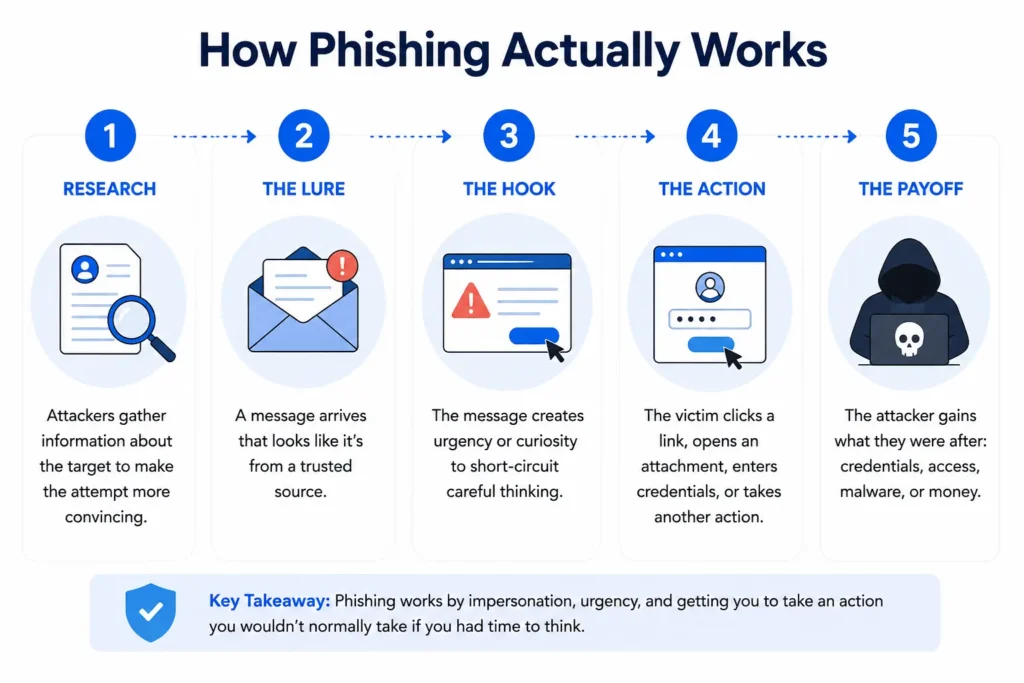
Most phishing attacks follow a recognizable structure, regardless of which channel they use:
- Research. Attackers often gather basic information about a target, a company name, an employee’s role, a recent public announcement, to make the attempt more convincing. Our guide on how attackers research targets covers this process in detail for more targeted attacks.
- The lure. A message arrives, styled to look like it came from a trusted source: a bank, a delivery service, an internal system, or a colleague.
- The hook. The message creates urgency or curiosity, an account problem, a document to review, a limited-time offer, designed to short-circuit careful thinking.
- The action. The victim clicks a link, opens an attachment, enters credentials, or takes some other action the attacker needs.
- The payoff. The attacker gains what they were after: stolen credentials, malware installed on the device, or a fraudulent transaction completed.
Not every phishing attempt uses email, and not every step above happens exactly the same way. What stays constant is the underlying manipulation: impersonation, urgency, and an action the victim would not normally take if they had time to think it through.
Types of Phishing
Phishing is no longer just a suspicious email. It has expanded across nearly every communication channel available. Understanding the differences matters, since each type requires a different kind of awareness and testing.
- Email phishing is the original and still most common form, using deceptive emails styled to look like legitimate organizations.
- Spear phishing targets a specific person or small group using researched, personalized details rather than a generic template. See our guide on spear phishing training for how this differs from standard phishing.
- Whaling is spear phishing aimed specifically at executives and the people authorized to act on their behalf. Our guide on whaling attacks covers real cases and why this group needs separate training.
- Vishing, or voice phishing, uses phone calls, increasingly enhanced with AI voice cloning, to impersonate a trusted person in real time. See our guide on vishing simulation platforms.
- Smishing delivers the same manipulation through SMS text messages, a channel with even higher open rates than email. Our guide on smishing covers why it often outperforms email phishing.
- Emerging technique-based attacks, such as the ClickFix attack, its variant FileFix, and device code phishing, take a different approach entirely: instead of stealing credentials directly, they trick the victim into completing a legitimate-looking technical action themselves, such as pasting a command or approving a real login.
- Deepfake-enhanced social engineering now extends phishing into AI-generated audio and video, making impersonation convincing enough to fool people on a live video call. Our guide on social engineering versus deepfake scams versus phishing breaks down how these overlap and differ.
Why Phishing Still Works
Despite years of corporate training programs, phishing remains the leading initial access vector for cyberattacks. The 2026 Verizon Data Breach Investigations Report, based on analysis of more than 22,000 confirmed breaches, found the human element present in 62 percent of breaches, and identified social engineering, including phishing, as the third most common incident pattern overall, accounting for 16 percent of all breaches on its own.
A few reasons explain why phishing has proven so durable:
- It targets a person, not a system. Technical defenses like spam filters and endpoint detection catch a great deal, but they cannot stop someone from willingly clicking a convincing link.
- Attackers only need one success. Out of thousands of messages sent, a single click can be enough to gain a foothold inside an organization.
- AI has made attacks faster and more convincing. Generative AI now helps attackers research targets, write more convincing messages, and even clone voices and faces, compressing what used to take significant manual effort into minutes.
- New channels keep opening. As organizations get better at filtering email, attackers have expanded into SMS, phone calls, and video, channels with far less mature security tooling behind them.
How to Recognize a Phishing Attempt
According to CISA’s guidance on recognizing and reporting phishing, a few consistent warning signs apply across nearly every type of phishing attempt, regardless of channel:
- An unexpected message creating urgency or pressure to act quickly
- A request to click a link, open an attachment, call a number, or enter a code
- Small inconsistencies: an unusual sender address, a slightly altered domain name, or unfamiliar phrasing from someone who normally writes differently
- A request that bypasses normal process, such as an urgent payment that skips the usual approval chain
The single most reliable defense across every phishing variant is independent verification: confirming a request through a separate, trusted channel before acting on it, rather than trusting the channel the request arrived on.
How Organizations Can Test and Train Against Phishing
Awareness alone consistently underperforms awareness combined with real testing. Running a phishing test for employees shows how your team actually responds to a realistic attempt, rather than how they think they would respond in the abstract. Tracking results over time through an employee phishing risk score turns individual test results into an ongoing, measurable picture of organizational risk, rather than a one-time snapshot. For a deeper look at building a full awareness program rather than a single test, see our guide on phishing awareness training and how to conduct it.
Final Thoughts
Phishing has changed enormously since the earliest fake bank emails, expanding across text messages, phone calls, deepfake video, and techniques that abuse legitimate system features entirely. What has not changed is the core mechanism: impersonation, urgency, and an action taken before there was time to think it through. Understanding that mechanism, in whatever form it currently takes, remains the starting point for defending against it.
FAQ
What is phishing in simple terms?
Phishing is a type of scam where an attacker pretends to be someone trustworthy, such as a bank or a colleague, in order to trick a person into clicking a malicious link, sharing sensitive information, or taking another harmful action.
What are the main types of phishing?
The main types include email phishing, spear phishing (targeted at specific individuals), whaling (targeted at executives), vishing (voice phishing over phone calls), smishing (phishing via SMS text messages), and newer technique-based attacks like ClickFix and device code phishing that trick victims into completing a legitimate-looking action themselves.
How common is phishing?
Phishing remains one of the most common causes of data breaches worldwide. The 2026 Verizon Data Breach Investigations Report found the human element, including phishing and related social engineering, present in 62 percent of confirmed breaches analyzed.
What is the difference between phishing and spear phishing?
Regular phishing sends the same generic message to a large number of recipients, hoping a small percentage respond. Spear phishing targets a specific individual or small group using personalized, researched details to make the message far more convincing.
How can I protect myself or my organization from phishing?
The most reliable defense is independent verification: confirming any unexpected or urgent request through a separate, trusted channel before acting on it. Organizations should combine this habit with regular, realistic phishing testing rather than relying on awareness training alone.
Content Reviewed By

Nawaz is a practising security analyst specializing in phishing simulation campaigns, employee awareness assessments, red team exercises, and ethical hacking.
He leads phishing simulation deployments at PhishCare, a product developed by CyberSapiens, with hands-on experience evaluating and deploying phishing simulation tools across organizations in multiple industries and regions globally.
View LinkedIn ProfileUnderstanding phishing is the first step. Seeing how your own team would actually respond is the next one. Test your organization with a free PhishCare demo account, no credit card required.