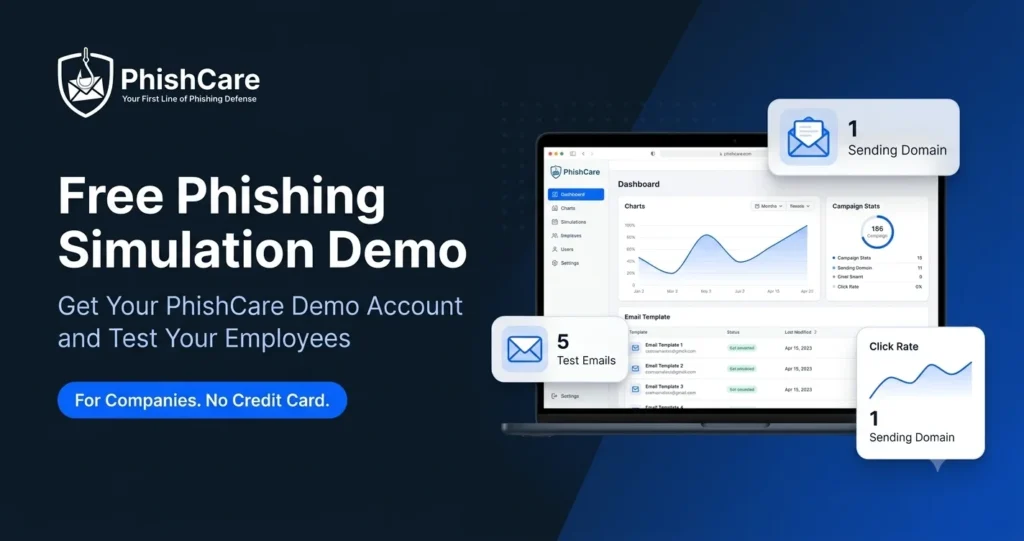
Most phishing simulation platforms ask you to book a sales call, sit through a scripted walkthrough, and wait days before you can touch the product. PhishCare takes a different approach. Any company can create a free PhishCare demo account, log in to the real dashboard, and send actual simulated phishing emails to their own team within minutes.
This guide explains what the free phishing simulation demo includes, who it is meant for, how to set it up step by step, and what changes when you move to a full PhishCare plan. Everything below is based on how our team at CyberSapiens actually onboards demo users, not on marketing copy.
Important Before You Sign Up
The free demo account is available for companies and organizations only. It is designed for IT teams, security leads, and business owners who want to evaluate phishing simulation for their workforce. It is not intended for individual or personal use, and requests must be submitted with valid business details.
What Is the PhishCare Free Demo Account and Who Is It For
The PhishCare free demo account is a working, self-serve version of the PhishCare phishing simulation platform. You get access to the same dashboard paying customers use, with sensible limits in place. There is no separate sandbox with fake data. You run a real campaign, send real simulated phishing emails to a small group of your employees, and see real click and reporting results.
The purpose is simple: let your company test the platform against your own people before spending anything. Research such as the Verizon Data Breach Investigations Report consistently shows that the human element is involved in a majority of breaches. A short demo campaign gives you a first, honest look at how your own team responds to a realistic phishing email, and whether PhishCare fits the way your organization works.
The demo is a good fit if you are
An IT manager or security lead evaluating phishing simulation tools, an MSP testing a platform for clients, or a business owner who wants proof of employee risk before budgeting for awareness training.
The demo is not meant for
Individuals testing personal inboxes, students, or anyone requesting access without a legitimate organization. Requests without valid company details are not approved, which keeps the platform safe and trusted.
What You Get in the Free Demo Account
We would rather be upfront about the demo limits than surprise you inside the dashboard. Here is exactly what the free demo account includes.
Sending Domain
You can configure one domain to send simulated phishing emails from. Enough to test deliverability and realism for your organization.
Emails Per Test
Each test campaign can send up to 5 simulated phishing emails. Ideal for a small pilot group such as your IT team or one department.
Templates and Landing Pages
A limited set of phishing email templates and landing pages is available so you can experience how campaigns look and feel to employees.
Awareness Modules
Limited awareness training modules are included, so you can preview the learning content employees receive after a simulation.
Even within these limits, the demo covers the full loop that agencies such as CISA recommend for phishing defense: expose employees to a realistic lure, measure who recognizes and reports it, and follow up with training for those who do not. If you need more domains, more emails, the full template library, and all awareness modules, everything unlocks on a paid plan. Full details are on the PhishCare pricing page.
How to Create Your Free PhishCare Demo Account in 4 Steps
The full setup takes only a few minutes. There is no credit card requirement and no mandatory sales call. Here is the exact flow.
Submit the Request Form
Go to app.phishcare.com/demo-account and fill in the form with valid company details, then submit your request.
Activate Your Account
Check your inbox for an account activation email. Open the email and set your password. If you do not see it within a few minutes, check your spam or promotions folder.
Sign In
Once your password is set, go to app.phishcare.com/login and sign in using your registered email address and password.
Explore the Dashboard
You will be redirected to the PhishCare dashboard, where you can start exploring the platform and set up your first simulated phishing campaign.
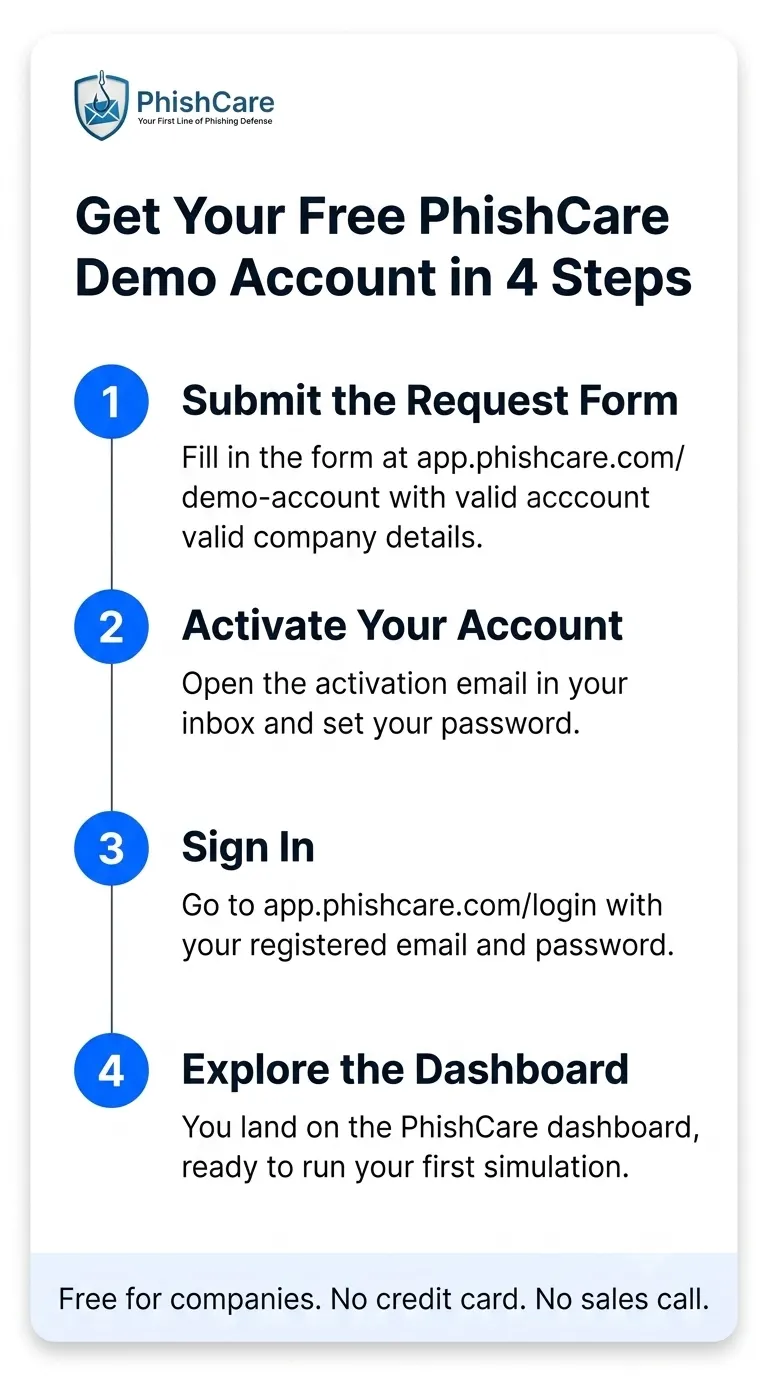
The complete PhishCare demo account setup flow, from request form to dashboard.
Prefer to see the platform in action before signing up? Watch the PhishCare phishing simulation demo video showing how PhishCare trains employees to recognize phishing attacks.
What to Do First Inside the PhishCare Dashboard
When demo users log in for the first time, the most common question our team hears is simple: where do I start? This is the sequence we recommend, based on how we onboard every new demo account.
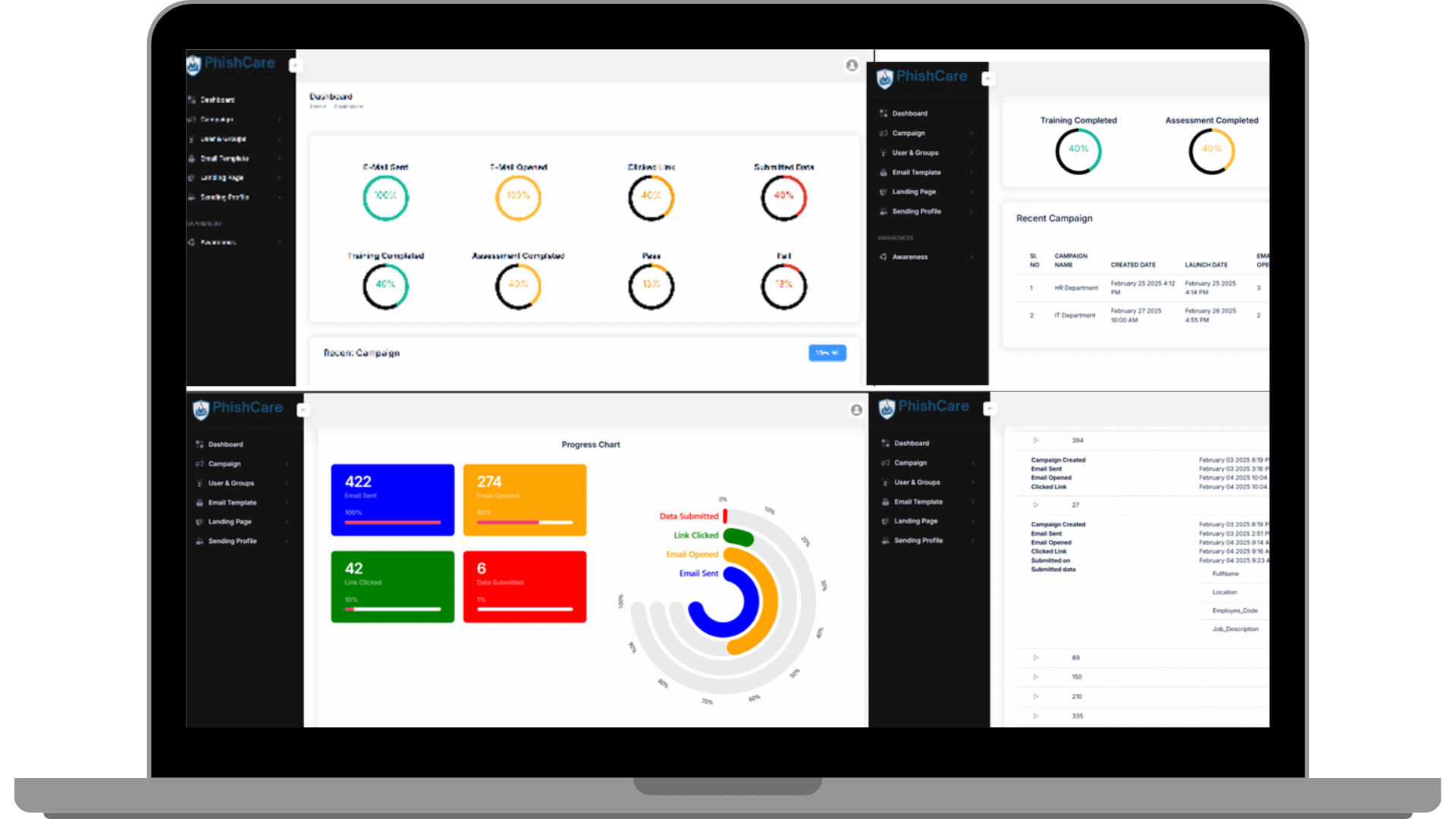
The PhishCare dashboard you land on after activating your demo account.
Your First 30 Minutes in the Demo
- Verify your sending domain. Set up the one demo domain so simulated emails deliver cleanly to your team’s inboxes.
- Add a small pilot group. Pick up to 5 employees. A mix of technical and non-technical staff gives the most honest result.
- Choose a template and landing page. Browse the included templates and select one that resembles emails your team actually receives, such as a password reset or shared document notification.
- Launch the test and watch results. The dashboard shows opens, clicks, and submissions as they happen.
- Review the awareness modules. Preview the sample training content your employees would receive after falling for a simulation.
To see what campaign reporting looks like at full scale, you can download the phishing simulation sample report, and the complete capability list is on the PhishCare features page. If any employee in your pilot group clicks the simulated link, it is also a good moment to share our guide on what to do immediately after clicking a phishing link, since the correct response matters as much as avoidance.
Free Demo vs Full PhishCare Plan
The demo exists to prove value, not to replace a real awareness program. Once your organization is ready to run recurring campaigns across departments, the full plan removes every demo limit. Here is the side-by-side view.
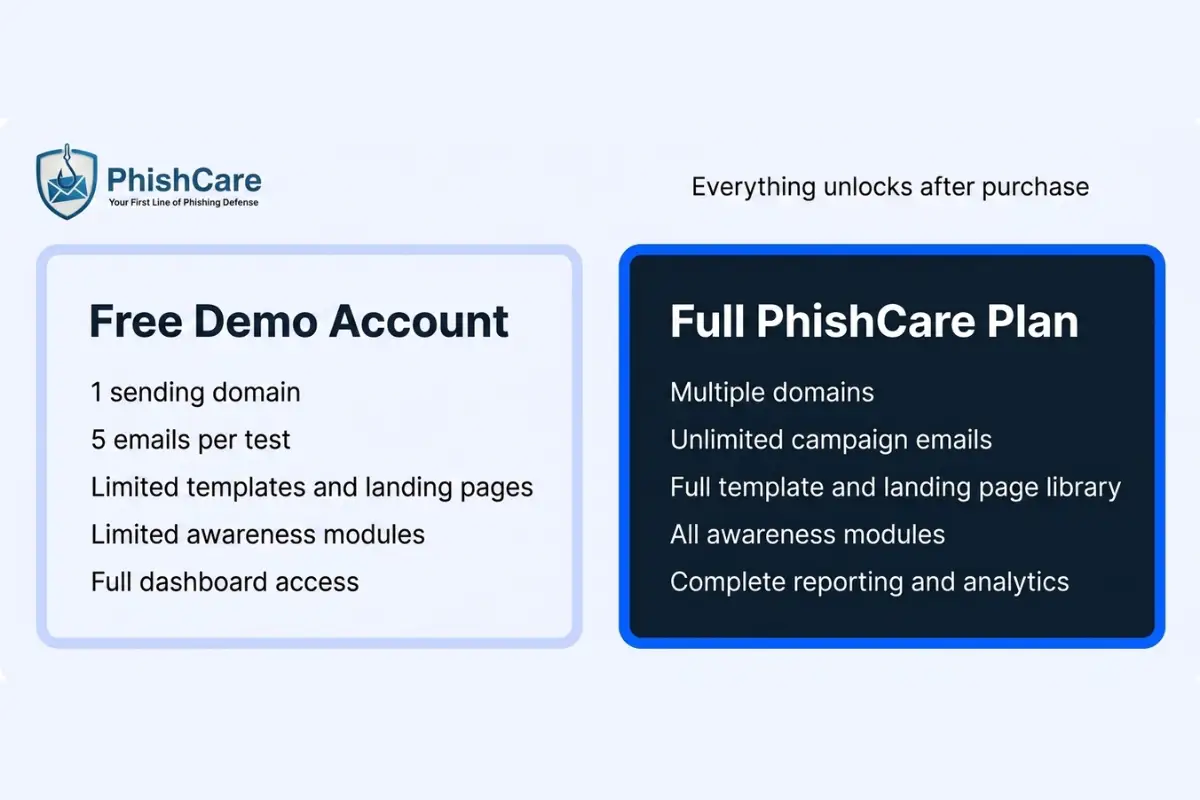
What the free demo includes and what unlocks on a full PhishCare plan.
| Capability | Free Demo Account | Full PhishCare Plan |
|---|---|---|
| Sending domains | 1 domain | Multiple domains |
| Emails per test | Up to 5 | Scales with your plan and workforce |
| Phishing templates | Limited selection | Full template library |
| Landing pages | Limited selection | Full landing page library |
| Awareness modules | Limited sample modules | Complete awareness training library |
| Reporting | Live campaign results | Complete reporting and analytics for recurring programs |
Once purchased, everything in the platform is available for your team. Current plans and costs are listed on the PhishCare pricing page, and for ongoing compliance programs, PhishCare’s campaign reports provide an additional documentation boost for organizations working towards ISO 27001, SOC 2 Type II, PCI DSS, HIPAA, or NIST CSF, where ongoing security awareness training is recognized as a best practice by auditors and certification bodies.
How the PhishCare Demo Compares With Other Free Phishing Tests
Free offers in the phishing simulation market usually take one of three shapes, and it helps to know the difference before you spend an afternoon signing up for the wrong one.
One-off teaser tests
Some vendors offer a single automated phishing email blast. You get a headline percentage of who clicked, but detailed results and dashboard access often sit behind a conversation with sales.
Sales-gated trials
Several enterprise platforms offer no self-serve trial at all. You book a call, sit through a guided walkthrough, and evaluate the product through screenshots rather than your own hands-on use.
Self-serve working demo
The PhishCare approach. You get the actual dashboard, run your own campaign on your own domain, see full results yourself, and only talk to us when you decide you want to.
Open-source options also exist for teams comfortable hosting and maintaining their own infrastructure, though they typically require server setup, mail configuration, and manual reporting, and they do not include awareness training content. If your goal is to evaluate a managed platform quickly with your real team, a self-serve demo is the fastest honest test.
Client Success and Industry Experience
The demo account is built on the same platform that organizations across finance, banking, healthcare, information technology, education, and professional services already use for their phishing simulation and awareness programs. What you test in the demo is what customers run at scale.
Experience Behind the Platform
Every demo account is supported by the same team at CyberSapiens that plans, deploys, and analyzes phishing simulation campaigns for real organizations globally.
Phishing simulations delivered
Campaign success rate
Industries served globally
Organizations That Have Used PhishCare









What Customers Say
“We recently used PhishCare for a phishing simulation, and I’ve got to say, their email templates were top-notch. The realism and variety of the templates were impressive, really testing our team’s vigilance. The level of detail they put into crafting these emails was evident, making the simulation both challenging and effective. It’s clear they know their stuff when it comes to cybersecurity. Highly recommend them!”
Lachlan Glen
Operations and Plan Management Team Leader, LDS
Frequently Asked Questions About the PhishCare Free Demo
Is the PhishCare demo account really free?
Yes. The demo account is completely free for companies. There is no credit card requirement, no time-pressured trial countdown, and no charge for running your test campaigns within the demo limits.
Who can sign up for the free demo account?
The demo is for companies and organizations only, such as IT teams, security leads, MSPs, and business owners evaluating phishing simulation for their workforce. It is not available for individual or personal use, and requests must include valid business details.
How many phishing emails can I send in the demo?
Each test campaign in the demo can send up to 5 simulated phishing emails from one configured sending domain. This is designed for a small pilot group so you can evaluate deliverability, template realism, and reporting before purchasing.
What templates and training content are included in the demo?
The demo includes a limited selection of phishing email templates, landing pages, and sample awareness training modules. The full template library, all landing pages, and the complete awareness module catalog unlock on a paid plan.
Do I need a sales call before getting demo access?
No. The demo is self-serve. Submit the request form at app.phishcare.com/demo-account with valid company details, activate your account by email, and sign in. You only speak with the team if you choose to.
What happens after the demo if I want the full platform?
Once purchased, every feature becomes available, including multiple sending domains, the full template and landing page library, all awareness modules, and complete reporting. Plans and costs are listed on the PhishCare pricing page at phishcare.com/pricing.
Content Reviewed By

Nawaz is a practising security analyst specializing in phishing simulation campaigns, employee awareness assessments, red team exercises, and ethical hacking. He leads phishing simulation deployments at PhishCare, a product developed by CyberSapiens, with hands-on experience evaluating and deploying phishing simulation tools across organizations in multiple industries and regions globally.
View LinkedIn ProfileSee How Your Team Responds Before You Spend Anything
Create your free PhishCare demo account, run a real phishing simulation with up to 5 test emails on your own domain, and see the results in the live dashboard. Free for companies. No credit card. No sales call.